PROJECT FORGE STUDIO · v1.10 BUILD 009 · PUBLIC TESTING RELEASE

Create worlds.
Animate ideas.
Simulate reality.

Project Forge Studio is a free 3D scene editor for animation and workplace visualisation. Build environments, animate people and vehicles, and show how a warehouse or factory-floor workflow could work.

FREEWARE / v1.10 BUILD 009Free · actively developed · forum support
FORGE / SCENE VIEWPORTTHREE PROJECTS
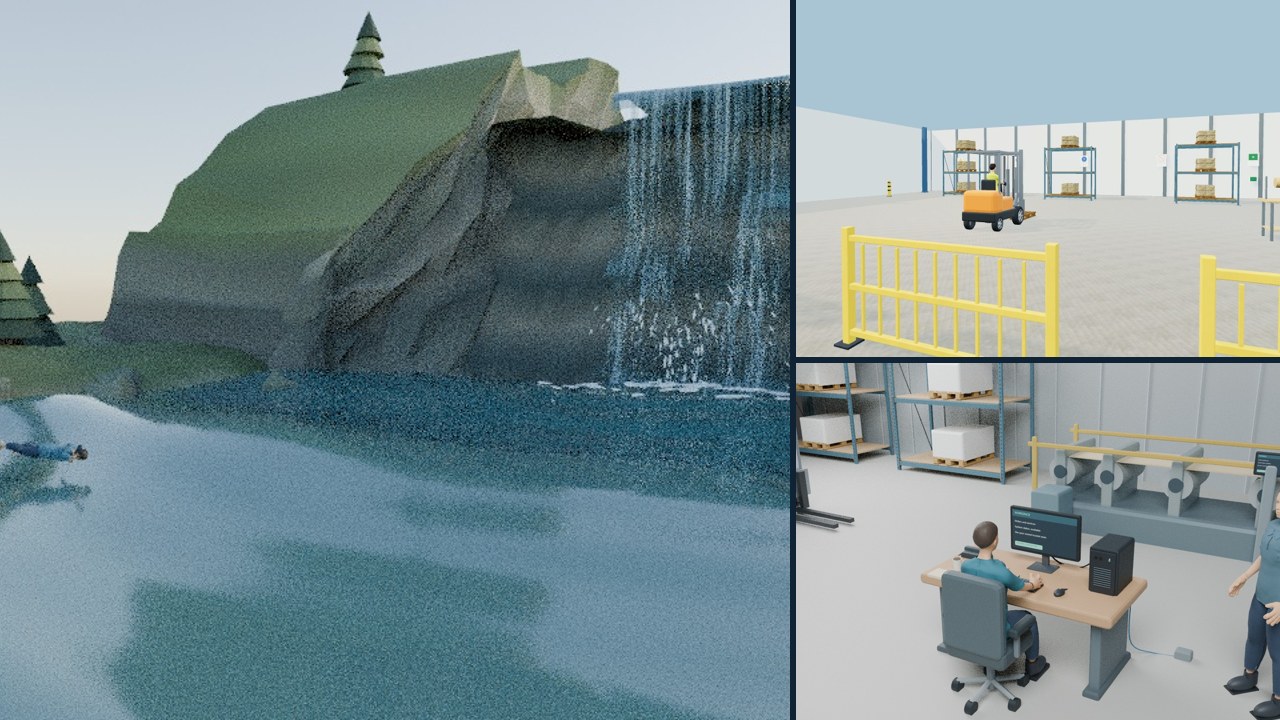
Slate Gorge, a Forge warehouse, and a cybersecurity training scene▶Three projects in 60 seconds.Water and motion · Warehouse routes · Workplace training
Built to make ideas tangible.One scene. Many possibilities.
EXPLORE THE POSSIBILITIES ↓
FREE PUBLIC TESTING RELEASE

Build your first Forge scene.

Project Forge Studio v1.10 Build 009 brings mesh editing, reusable assets, character motion, water and atmosphere effects into one scene editor.

Create a free forum account, verify your email and sign in. The Downloads tab contains the editor, asset packages, demo scenes and illustrated guides in English and Polish.

Free to use, with support through the community forum. Public testing build. Please share reproducible bugs and your scenes in the forum. Download packages are below 25 MiB each.
VOLUNTARY SUPPORT

Support Forge ☕

If Forge helps you build something useful, you can buy me a coffee to support future development. Forge B009 and its guides are free whether or not you contribute.

Support link coming soon.

3D ENVIRONMENTS+PATHS & TIMELINES+EDITABLE ASSETS+SCENARIO VISUALISATION
01 / THE WORKSPACE

Everything starts
with an idea.

Creative freedom meets practical purpose. A visual workspace for building 3D scenes, organising assets and choreographing what happens next.

01 ↗

Forge Create

Shape terrain. Arrange objects. Customise characters. Give your world its structure and visual identity.

Mesh editingMaterialsLibraries
02 ↗

Forge Animate

Turn still scenes into sequences with paths, keyframes, linked equipment and editable timing.

RoutesTimelineCamera views
03 ↗

Forge Simulate

Communicate an operation, demonstrate a workflow or explore a scenario before explaining it to others.

ProcessesInteractionsVisual review
LOOKING AHEAD

Forge 1.10 quality improvements — materials, environmental effects, animation and export workflows continue to evolve through public testing.

Help shape what’s next ↗
PROJECT FORGE STUDIO SHOWCASE

From editor
to finished scene.

Set water and atmosphere in Slate Gorge, edit a forklift route, and see how a rendered scene becomes part of an interactive cybersecurity lesson.

Forge editor captures, rendered scenes and an interactive lessonDownload showcase ↓

Video 1 of 2

THE PORTFOLIO

See what you
can build.

Working examples for workplace learning, warehouse communication and creative 3D projects. Explore the scenes, then download the files and try them yourself.

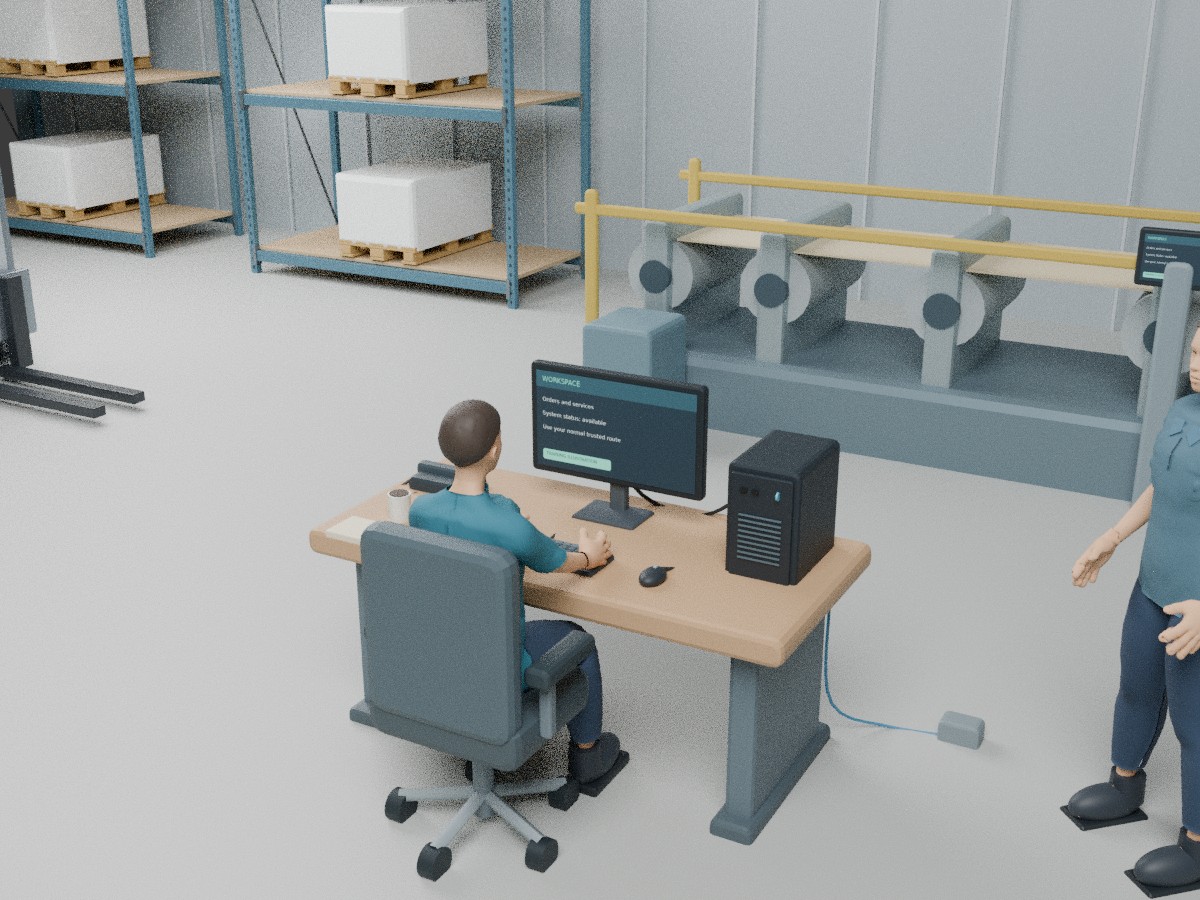
Cybersecurity course workplace scene
HEALTH & SAFETY / WORKPLACE LEARNING

Cybersecurity awareness

Interactive HTML presentations with short and full-session options, a learner workbook and printable companion.

Explore and download ↗
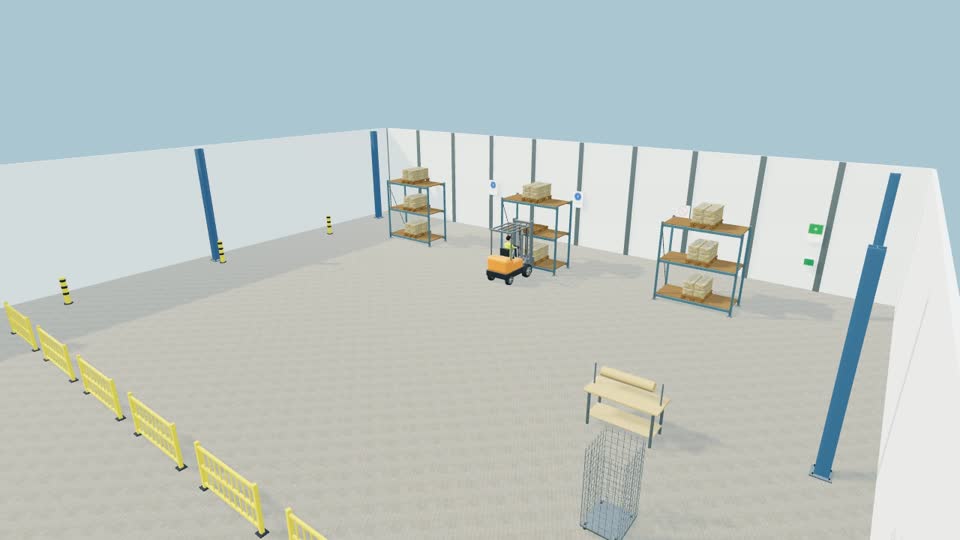
Generic warehouse Forge project
WAREHOUSES / EDITABLE PROJECTS

Warehouse operations

See how a forklift route is edited and replayed from pedestrian eye level. Download the working warehouse scene and a second editable diorama.

Watch and get the projects ↗
EXPLORE THE SCENES

Workplaces and
open landscapes.

Watch a warehouse scene recorded in Forge, then explore the Slate Gorge project with changing atmosphere, a walkway and lake activities.

Warehouse operations

Original footage recorded in the Forge editor. Reusable objects and paths bring an operational scene to life.

Slate Gorge · two paths

An editable Forge scene with three atmosphere zones and two character activities. This film is rendered from the Forge project in Blender.

Download the editable demo scene
03 / DIFFERENT WORLDS. SHARED TOOLS.

Imagine it.
Build it.

Select a world to see what it could help you communicate.

Forklift and storage racking in the warehouse demonstrationINDUSTRIAL VISUALISATION
SCENE 01

Visualise before it happens.

Make a process easier to explain: pallet handling, storage layouts, equipment movement and pedestrian segregation concepts.

  • Communicate layouts and travel routes
  • Illustrate training and process discussions
  • Build a visual starting point for site reviews

Workplace demonstrations can support communication and review. They do not replace a site-specific risk assessment, safe system of work or competent verification.

04 / MORE THAN A SOFTWARE CONVERSATION

Your idea.
A practical next step.

Discuss a focused deliverable or a longer development relationship. Scope, availability, fees and licence terms are agreed individually.

⬡

Custom object libraries

Build a collection around your sector: equipment, environments, stock, signs and reusable scene components.

⌘

Development requests

Discuss a dashboard, workflow tool, systems integration or editor feature. Tell me what your team needs to do.

◉

Scene creation

Commission a 3D workplace scene or animated safety presentation for an induction, toolbox talk or layout discussion.

↗

Training & tutorials

Practical sessions and learning materials built around what you need to create, edit and demonstrate.

⌖

On-site support

Explore support for real layouts, operational context and project setup. Location, access and availability by agreement.

◇

Licensing & usage

Forge B009 is a free public testing download for registered members. Read the included licence for usage rights and contact me through the website form with questions.

05 / BUILD WHAT’S NEXT, TOGETHER

A place for
practical partners.

Have an industry use case, an asset collection or a sponsorship proposal? Start a conversation about a defined contribution and a useful outcome.

Industry collaborators

Share a workflow and explore a relevant demonstration or sector-focused library.

Asset & technology partners

Discuss models, materials, tooling or technical integration with clear usage rights.

Development sponsors

Suggest a milestone, contribution and the acknowledgement or deliverable you have in mind.

06 / START THE CONVERSATION

Let’s build
what’s next.

Krzysztof JanuszkiewiczIndependent Project Forge developmentkj.januszkiewicz@gmail.com ↗

Your form details are kept in this page’s memory only. They are not submitted to a server or added to a mailing list. No attachment upload: add files in your email app.

A FEW USEFUL DETAILS

Before we talk.

Is this a finished game engine?

The film shows Forge’s first-edition creation and animation workflows. Development currently focuses on improving the 1.10 editor, materials, animation and export workflow. Feedback from public testing helps shape the next updates.

Will Forge Studio be free?

Yes. Forge B009 and the English and Polish guides are available free to registered members. Optional coffee contributions support development. Custom services are scoped and quoted separately.

Can I supply my own objects, textures or scenario?

Yes, you can propose them. Include file types, intended use and relevant permission or licence information in your email. Suitability and implementation need to be reviewed.

Are the safety examples certified assessments?

No. They are visual scene demonstrations for communication. Actual risk assessments, dimensions, equipment limits and controls need competent site-specific review.

Does the form send an email automatically?

No. It prepares a message you review and send using your email app. If no app is configured, copy the message into webmail or download the email draft.

PROJECT FORGE

REVIEW BEFORE SENDING

Your enquiry is ready.

To: kj.januszkiewicz@gmail.com

Open email app ↗

Nothing has been sent. Review the message in your email app and press Send there.