01 ↗
Forge Create
Shape terrain. Arrange objects. Customise characters. Give your world its structure and visual identity.
Mesh editingMaterialsLibraries
From the scene in your imagination to the process on your factory floor. Build environments. Connect movement. Make your ideas visible.
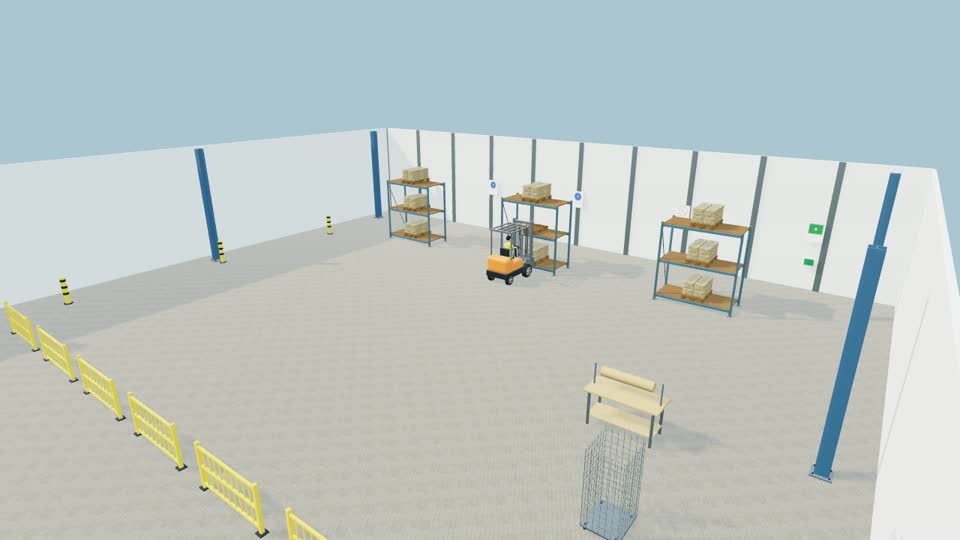 ▶Visualise before it happens.Play the film · 01:04
Creative freedom meets practical purpose. A visual workspace for building 3D scenes, organising assets and choreographing what happens next.
Shape terrain. Arrange objects. Customise characters. Give your world its structure and visual identity.
Turn still scenes into sequences with paths, keyframes, linked equipment and editable timing.
Communicate an operation, demonstrate a workflow or explore a scenario before explaining it to others.
Forge Develop / v2.0 — game-making, events and interactive logic are a planned development direction. They are separate from the current demonstration.
Help shape what’s next ↗Five recordings. One look at what you can create. This film combines your warehouse, retail, traffic, farm and multi-operator demonstrations.
Development footage shows authored scenes and choreographed actions. It is a visual demonstration, not autonomous traffic, shopping or animal AI.
Explore the scenarios in the film. Select a world to see what it could help you communicate.
INDUSTRIAL VISUALISATIONMake a process easier to explain: pallet handling, storage layouts, equipment movement and pedestrian segregation concepts.
Workplace demonstrations can support communication and review. They do not replace a site-specific risk assessment, safe system of work or competent verification.
Discuss a focused deliverable or a longer development relationship. Scope, availability, fees and licence terms are agreed individually.
Build a collection around your sector: equipment, environments, stock, signs and reusable scene components.
Describe a workflow, editor improvement or custom feature. Start with the problem and agree a feasible scope.
Turn a process or story into a visual sequence, with an agreed scene, camera plan and demonstration output.
Practical sessions and learning materials built around what you need to create, edit and demonstrate.
Explore support for real layouts, operational context and project setup. Location, access and availability by agreement.
Talk through your intended use and suitable commercial terms. Subscription options are a proposed model; no online purchase is enabled here.
Have an industry use case, an asset collection or a sponsorship proposal? Start a conversation about a defined contribution and a useful outcome.
Share a workflow and explore a relevant demonstration or sector-focused library.
Discuss models, materials, tooling or technical integration with clear usage rights.
Suggest a milestone, contribution and the acknowledgement or deliverable you have in mind.
The film shows Forge’s first-edition creation and animation workflows. A broader v2.0 Game Maker mode is planned. Multiplayer and autonomous simulation are not presented as available features.
No checkout or automatic subscription is enabled. Use the licensing enquiry to discuss intended use, availability and commercial terms directly with Krzysztof Januszkiewicz.
Yes, you can propose them. Include file types, intended use and relevant permission or licence information in your email. Suitability and implementation need to be reviewed.
No. They are visual scene demonstrations for communication. Actual risk assessments, dimensions, equipment limits and controls need competent site-specific review.
No. It prepares a message you review and send using your email app. If no app is configured, copy the message into webmail or download the email draft.